> For the complete documentation index, see [llms.txt](https://docs.poweromni.ai/llms.txt). Markdown versions of documentation pages are available by appending `.md` to page URLs; this page is available as [Markdown](https://docs.poweromni.ai/en/administration-and-configuration/billing/support.md).
# Support
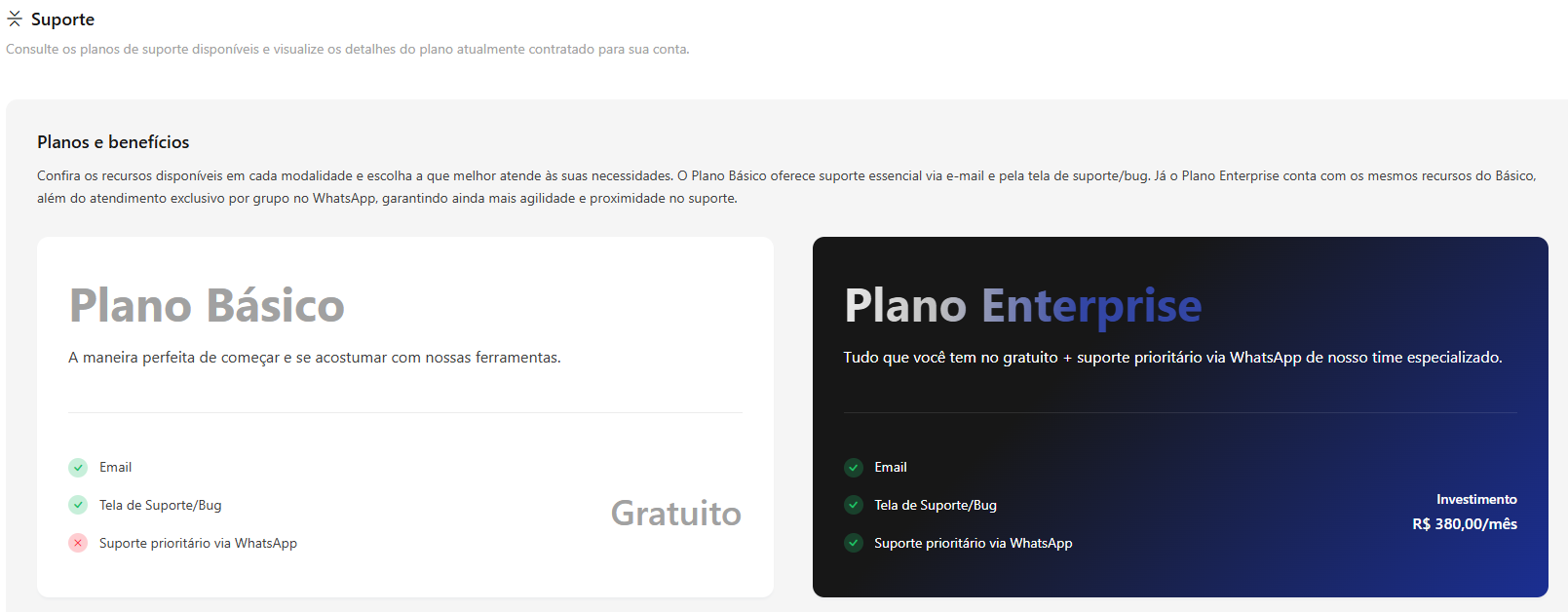
The Support screen is the informational panel where the organization reviews the details of its current service level and learns about the support plan options available in Power Omni.
### Available Plans
In this area, the two support options are presented, allowing the administrator to evaluate whether the current level meets the critical needs of the business.
#### Basic Support
Ideal for operations seeking standard and efficient assistance for day-to-day issues.
* **Channels:** Support via email or ticket system through the platform.
* **Scope:** Technical support for usage questions, bugs, and general incidents.
* **SLA (Response Time):** Standard response time according to the support queue.
#### Enterprise Support
Designed for companies with critical operations that require maximum priority and extended availability.
* **Priority Channels:** Direct access through agile channels (WhatsApp).
* **Differentiated SLA:** Guaranteed response and resolution within reduced timeframes (aggressive response SLA).
### Service Level Agreement (SLA)
The SLA defines service and response timelines to ensure quality and operational continuity. It establishes maximum response times for critical cases, such as Power Omni unavailability and other incidents, ensuring transparency in support.
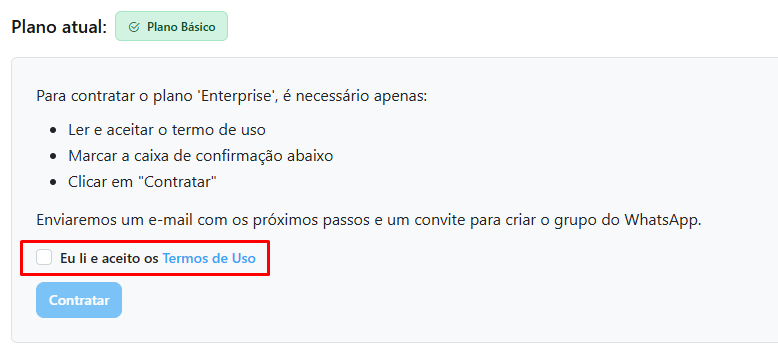
### Plan Upgrade
If the company identifies the need for a more robust support level:
* At the bottom of the screen, you have the option to migrate your plan to Enterprise. Simply accept the terms and click **Subscribe**.
* After that, just wait for our team to contact you via email with the next steps.
{% hint style="info" %}
#### 💡 Note
Remember that the value of the selected support plan on this screen is automatically reflected in your **Monthly Invoice**.
{% endhint %}