> For the complete documentation index, see [llms.txt](https://docs.poweromni.ai/llms.txt). Markdown versions of documentation pages are available by appending `.md` to page URLs; this page is available as [Markdown](https://docs.poweromni.ai/en/administration-and-configuration/billing/settings.md).
# Settings
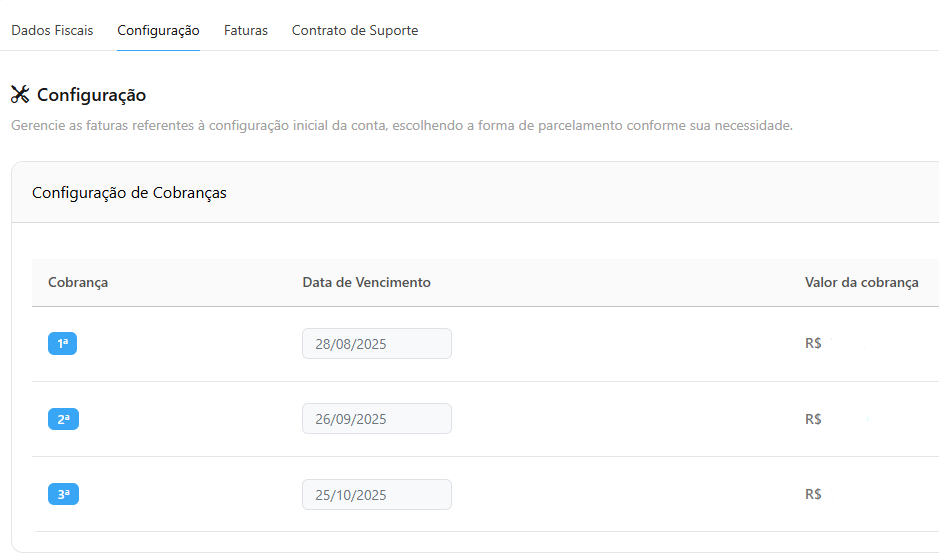
The Configuration section handles invoices related to the initial account setup, such as the onboarding fee.
In the **Configuration** tab, you can manage the initial invoices.
* **Billing:** Number of installments.
* **Due Date:** Payment deadline date for each installment.
* **Billing Amount:** Amount of each installment.
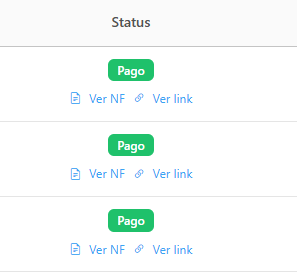
* **Status:** Indicates whether the payment has already been made or is still pending.
* **Actions:** For each charge, you can **View Invoice (Service Invoice)** and **View Payment Link**.