Licenses

The Licenses menu provides the financial and logistical control panel over the use of contracted user licenses. This is where you manage the number of licenses and audit their status and usage history.

Overview

The first row of the dashboard displays the current status of your licensing contract:

  • Contracted: The total number of licenses included in your service plan.

  • Assigned: The number of licenses that are currently active and in use by users.

  • Available: The balance of unused licenses that can be assigned to new users.

  • Deactivated: The number of licenses removed from users during the period.

License Table and Actions

The table lists each license individually, with its unique ID, creation date, Status (Active or Deactivated), and the User’s Email who is using it.

Action
Purpose

Unassign License

Removes the license from the listed user and moves it to the available balance. The user loses access to Agents.

Details

Opens the license Event History, showing when it was created, when it was assigned to the user, and whether there were any changes.

Remove License

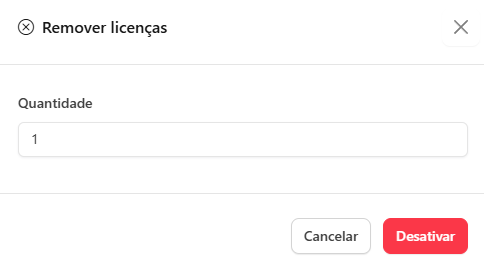
Removes a specific number of licenses from your Contracted pool. Requires confirmation and impacts your contract.

Add License

Increases the number of Contracted licenses. If licenses are requested during the month, they will be automatically added to meet the demand.

circle-exclamation

Important

Last updated