> For the complete documentation index, see [llms.txt](https://docs.poweromni.ai/llms.txt). Markdown versions of documentation pages are available by appending `.md` to page URLs; this page is available as [Markdown](https://docs.poweromni.ai/en/administration-and-configuration/budget.md).
# Budget
Power Omni offers advanced tools in the Administration Area to monitor and control Artificial Intelligence token consumption (billed directly by Microsoft to your Azure account).
You can define usage limits to prevent excessive spending, both at the overall organization level and for specific entities (users, agents, groups, and workspaces).
### Cost Control Overview
Cost control is accessible in the Administration Portal and allows you to define monthly budgets, limiting the number of tokens that can be consumed during the period.
### Global Organization Budget
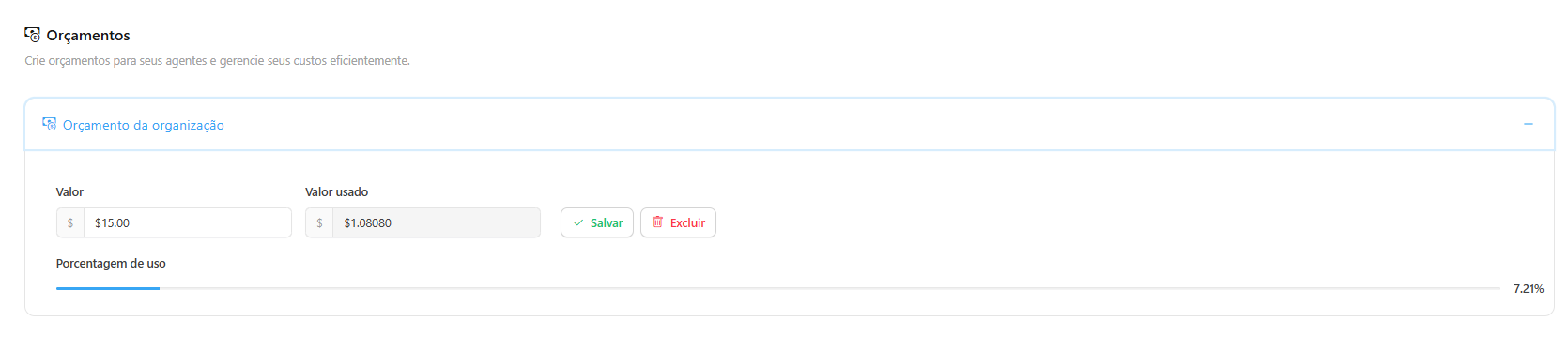
* **General Configuration:** It is possible to define a monthly consumption limit in US dollars (USD) for the entire organization.
* **No Limit:** If the budget field is left empty or set to zero, the organization’s consumption will be unlimited (limited only by your Azure plan).
### Budget per Specific Entity
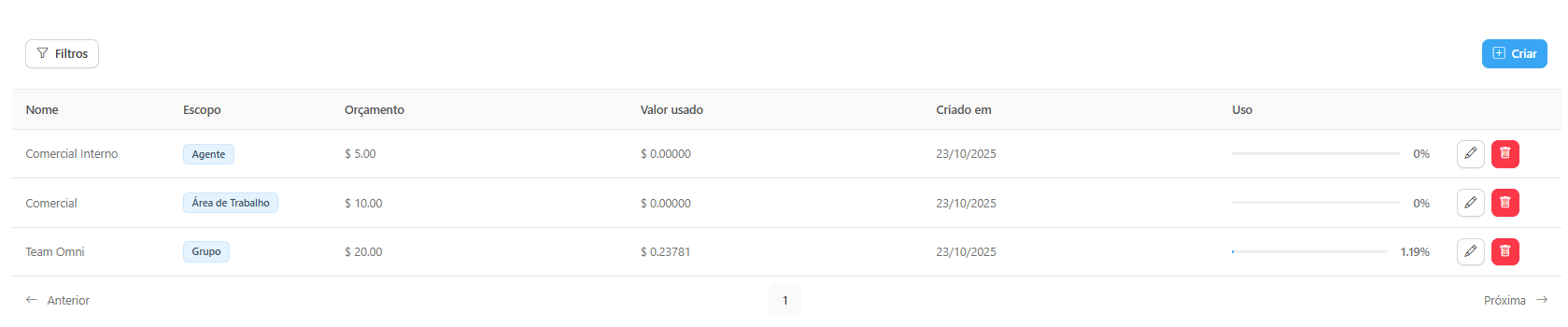
To optimize and precisely manage consumption, Power Omni allows segmented budgets to be applied. These budgets ensure specific and detailed control over token spending by areas or individuals.
***
### Priority and Accounting Flow
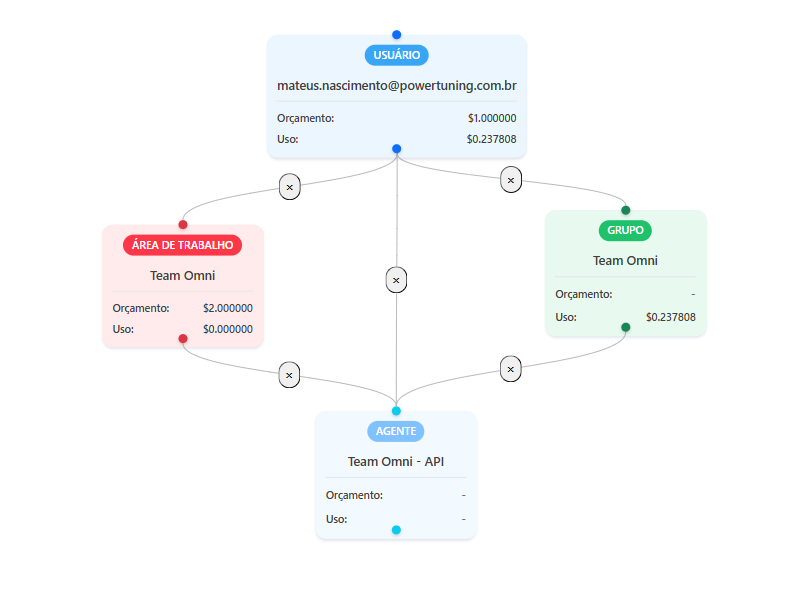
Power Omni follows a hierarchy flow to determine the AI access path and apply budget rules.
#### Access Hierarchy (Priority)
The system prioritizes access to AI agents by searching for the most specific path, following the hierarchy order below:
1. User → Agent
2. User → Group → Agent
3. User → Workspace → Agent
4. User → Group → Workspace → Agent
The priority order is always respected, even if one or more levels do not have a defined budget.\
If the Organization, User, or Agent has a budget and exceeds the limit, the system will generate a specific failure according to the level that exceeded the quota.
***
### Usage Accounting (Tokens)
* The budget refers exclusively to token consumption.\
Features with additional costs — such as Fabric Connectors, VectorStore, and CodeInterpreter — are not accounted for in the budget.
* Each item (User, Group, Workspace, and Agent) has its usage accounted for independently, regardless of whether a budget exists.
This usage accounting occurs asynchronously, allowing consumption updates for the items in the selected path to occur in parallel without blocking ongoing executions.
* During execution, token consumption is accounted for individually for each item that composes the effectively used path (for example, User, Group, and Agent).
These individual usage costs are used to verify whether any budget has been exceeded at any level of the traversed path.
* An access path between the User and the Agent is considered blocked when one or more items that compose it have a defined and already expired budget.
In such cases, the system will automatically attempt the next available path, following the priority order.\
If all paths are blocked, the system will return a generic or specific error, depending on the nature of the failure.
***
### Blocking Rules and Next Path Attempt
The system monitors each level of the access path and intelligently applies blocking:
{% hint style="danger" %}
### Important Warning About Token Overrun
Due to the real-time nature of token counting (which is only finalized after an AI response is completed), consumption may slightly exceed the budget limit. This occurs solely to ensure the completion of an ongoing request, preventing the conversation from being cut off mid-response.
{% endhint %}
***
### Configuring a Budget
Budget configuration is performed in the administration area of the tool, allowing the definition of a limit value and the actions to be taken when it is reached.
#### Step by Step
1. Access the Administration Portal.
2. Navigate to the Budgets section.
3. Use the Monthly Usage Limit (USD) field to define the budget for the overall organization (Not mandatory).
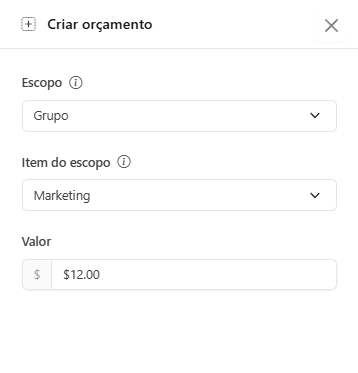
4. To configure a budget for a specific permission, click the Blue Icon and select the scope (User, Agent, Group, or Workspace) and the limit value (USD).
***
#### Options When the Limit Is Reached
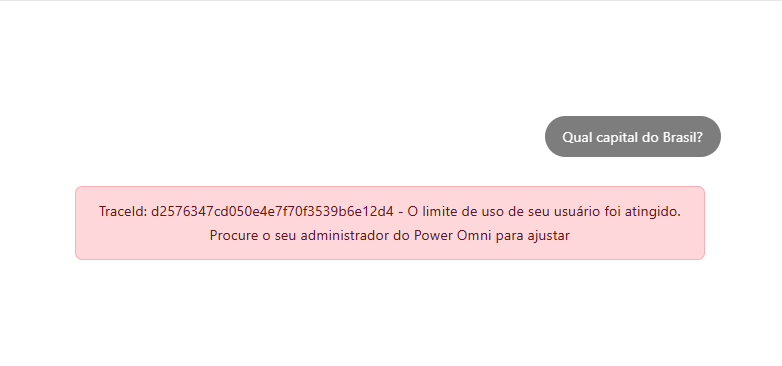
* **Automatic Blocking:** When the limit is reached, the user will receive an error message immediately after attempting to send a message, informing them that the usage limit has been reached. Access to AI functionality is automatically blocked for the entity in question and is restored at the beginning of the next month.
* **Manual Release:** If you wish to allow usage even after exceeding the limit, the administrator can adjust the budget (increasing the USD capacity) directly in the budget settings.
### Visualization and Auditing
Power Omni records token consumption transparently. Administrators can view the accumulated consumption for the month and the percentage relative to the defined budget:
* **Dashboards:** Displays the organization’s total consumption and the remaining global budget balance.
* **Permission Audit:** In the menu Audits > View Permissions, it is possible to verify the possible paths to a specific agent and view whether there are budgets and how much usage has already been consumed in specific entities such as groups and workspaces.
* **Detailed Reports:** It is possible to audit token consumption by user, agent, group, and workspace.
* **Monthly Reset:** All budgets and usage counters are automatically reset on the first day of each month, starting a new spending control cycle.